
Desktop invoicing · Mac & Windows
Send a proper invoice
in the time it takes
to make coffee.
Multiple companies, departments, GST-style tax rows, and one-click PDFs — all running locally on your own computer. No subscriptions, no logins, no internet required.
Free to use · Your data stays on your device
How it works
From blank form to billed client, in four steps.
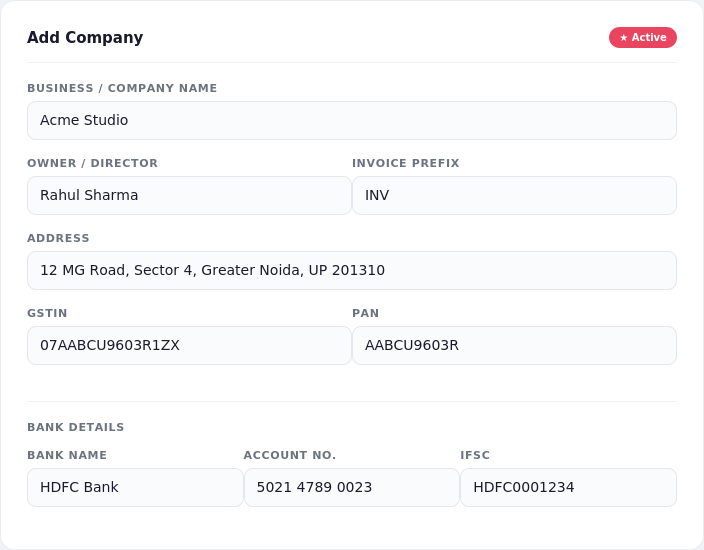
Set up your business
Add your company name, GSTIN, PAN, and bank details once. Running more than one business or brand? Add as many companies as you need and switch between them per invoice.
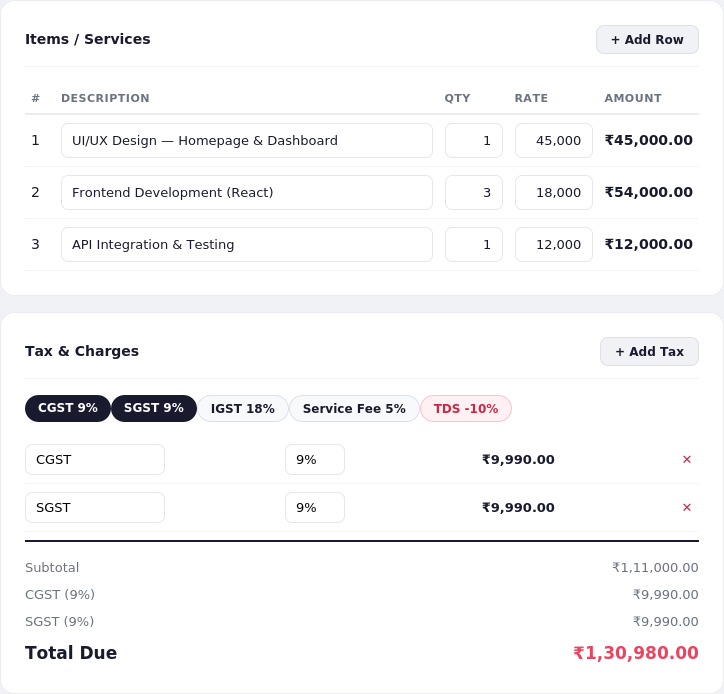
Add items and taxes
List what you're billing for, then quick-add CGST, SGST, IGST, a service fee, or TDS with one click each. Every tax stacks cleanly into the total — no spreadsheet math.
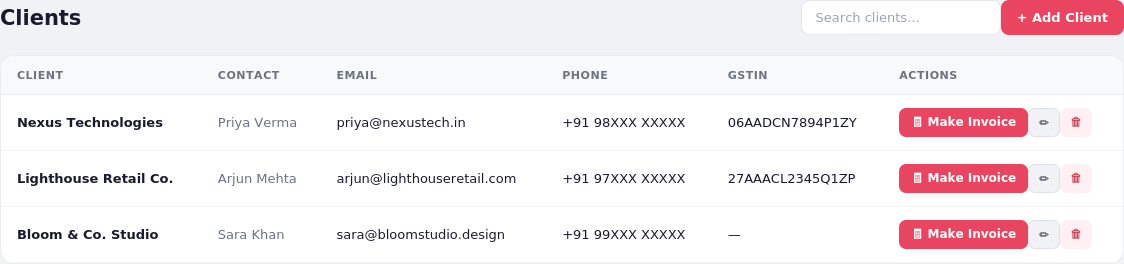
Reuse saved clients
Every client you bill is saved automatically. Next time, pick them from a list and their details fill in instantly — or jump straight to a new invoice from their card.
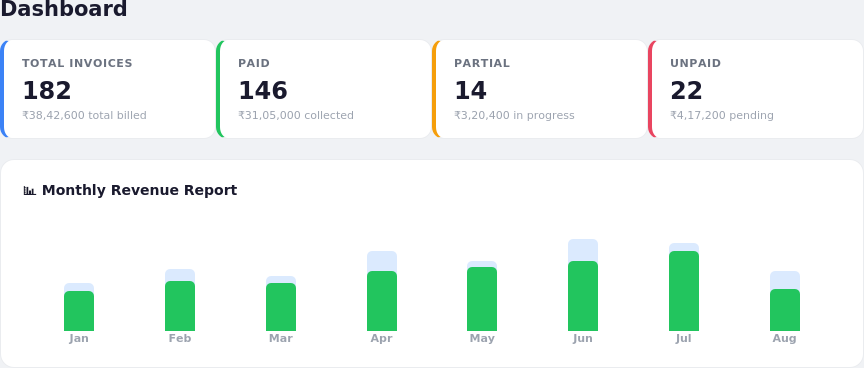
Watch the money come in
The dashboard tracks what's paid, partial, unpaid, or on hold, with a month-by-month chart so you always know what's outstanding — exportable to CSV for your accountant.
Built for how small businesses actually invoice
Everything Tally-style software has,
without the learning curve.
Multiple companies
Run several businesses or brands from one app. Each keeps its own invoice numbering, bank details, and tax registration.
Departments
Split invoices by Sales, Finance, or any team you define — useful the moment more than one person is billing under your company.
Stacked tax rows
CGST, SGST, IGST, service fees, cess, even TDS deductions — add as many as your invoice actually needs, each shown as its own line.
Real payment status
Unpaid, partially paid (with the exact balance tracked), paid, on hold, or cancelled — not just a yes/no checkbox.
12 currencies
₹ $ € £ and more — including AUD, SGD, CAD, AED, JPY, CNY, NZD, and ZAR — for clients anywhere in the world.
Print or PDF, instantly
Every invoice opens print-ready or exports straight to a PDF you can email — no formatting to fix first.
Client memory
Once you've billed someone, they're saved. Pick them from a list next time instead of retyping their address every invoice.
Monthly reports
A live bar chart and collection-percentage table by month, with one-click CSV export for your records or accountant.
Your data stays yours
Everything saves locally on your computer. No account, no cloud sync, no one else can see your invoices.
Get the app
Pick your platform.
Both versions are full installers — they add a normal desktop shortcut and Start Menu / Launchpad entry, just like any other software.
First time opening it? Mac may show "unidentified developer" — right-click the app → Open. Windows may show a SmartScreen notice — click More info → Run anyway. Both are normal for new, unsigned apps and only appear once.
Questions